


7+


Full View
Similar items
Private Model Hot-Selling Game Switch Joycon Hall Joystick Wireless NS Left And Right Controller Accessories
£44.80£61.88
Product color : YS14-Animal Crossing with


Quantity :
 Customer Service
Report
Include copyright infringementFree Standard Shipping. See details
Estimated between Wed, Apr 15 and Tue, Apr 21
You can return the product within 30 days of receipt. See details
Shop with confidence

Money Back Guarantee
Get the item you ordered or your money back. Learn more
About this item
Sourced from technology
Seller assumes all responsibility for this listing.Item number: 35789192
Item specifics
Connection
Wireless
Compatible Brand
Sega, Nintendo, Atari
Item description from the seller
Direct manufacturer, 15 years of focus on digital accessories products, exclusively for cross-border platforms, private molds do not infringe copyright.Accepting OEM/ODM orders, offering high-quality products, welcome friends from all sectors to visit, provide guidance and negotiate business.Large quantities at great prices! Contact customer service! English detail pages available.
Product name: SWITCH Left and Right Joycon Controllers with Wake-Up Function
Switching on and off:
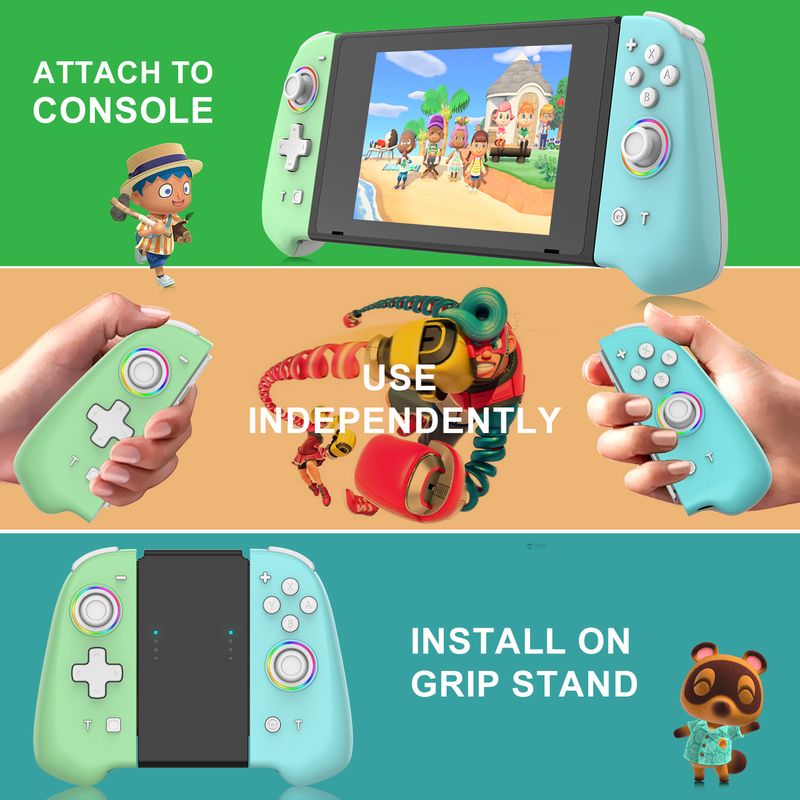
Plug the slide rail into the host and turn it on. When the slide rail is removed, it automatically re-connects via Bluetooth. When the host is turned off, press the Pair button for 3 seconds to pair. Short press the Home/Capture button to reconnect
Operation method and LED indication:
Wireless mode:
1. The slide rail can be used once plugged into the host, and automatically connects back to the host via Bluetooth when the slide rail is removed
2. In the off state, press the Pair button for 3 seconds to pair. Short press the Home/Capture button to reconnect
3. Other aspects are consistent with the original handle
How to use the TTURBO button
1. Pressing the Turbo+a button enables the A rapid-fire function. There is no need to hold down the a button; it will automatically fire continuously and vibrate to confirm successful setting.Second, to enable Turbo+A double-click, you need to press and hold the A button to activate the continuous vibration notification for successful setup. Third, press and hold the Turbo button for 5 seconds to cancel the continuous function, or press the Turbo+A button to cancel the continuous function and the vibration notification.
2. T-key gear adjustment function, 5 shots/s, 12 shots/s, 20 shots/s
#1T+- Reduces TURBO speed
#2T++ increases TURBO speed
Motor adjustment:
The function is divided into 5 levels: 100%, 75%, 50%, 30%, Off.Default is 50%
#1 T+ joystick increases motor dynamism
#2 T+ rocker reduces motor vibration
#3. The adjustment was successful, the motor vibrates for 0.5 seconds
Charging:
When the device is turned off, the 4 charging LEDs flash slowly. When fully charged, the 4th LED stays on continuously
Standard set includes: left and right joy-con controllers + data cable + manual + color box






Videos
Videos for this product


 4.4 out of 5 based on 9,249 reviews