Full View
Similar items
Backlit Bluetooth And Mouse IPad Wireless Keyboard For IOS Android Windows Rechargeable 10 Inches Devices
£34.02
£51.64 -34% OFF

Bluetooth And Mouse IPad Xiaomi Samsung Huawei Phone Tablet Slim Mini Wireless Keyboard For Android IOS Windows
£27.74
£46.36 -40% OFF
New 61keys Wired White Black RGB Gaming Office Kit Backlight Keyboard And Mouse Combos For PUBG Gamer
£36.08
ATTACK SHARK X68HE Magnetic Keyboard Red Wired Mechanical For Pro Gaming 0.01mm Rapid Trigg 8000Hz SOCD/Rs 0.125ms 128K
£65.29
£84.49 -22% OFF
New L700 English Keyboard With 109 Keys, Thin Film Gaming Keyboard, Three Backlight Modes, Rainbow Mixed Color, Cross-border Wholesale
£43.39
£55.14 -21% OFF
SayoDevice Rapid Trigger Magnetic Switches RGB Music Game Volume Knob For O3C DJMAX SDVX Geometry Dash Office Keyboard
£44.82
£53.00 -15% OFF
2.4G Combo 108 Keys Wireless Keyboard And Mouse High Sensitivity No Delay
£26.53
CORNE V4 2.4G Wireless MX Mechanical Keyboard Hot-swappable Split Ergonomic 46 Key Layout Support VIAL Software Key
£71.50
£100.45 -28% OFF
ONIKUMA Mechanical Gaming Keyboard, 61-key Layout, RGB, Customizable, Wired, Colorful, LED Backlight, Keyboard For
£46.32
£63.78 -27% OFF
Machenike K500-B61 Mini Mechanical 60% ABNT2 Layout RGB Backlight Hot-swappable NKRO Wired Gaming Keyboard For PC Gamer
£37.00
£39.64 -6% OFF
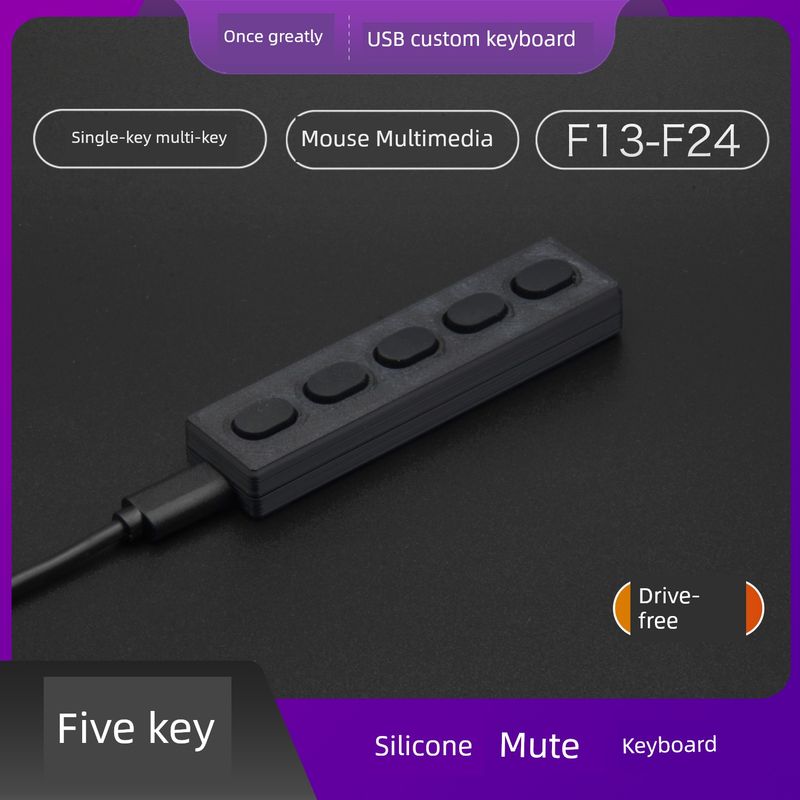
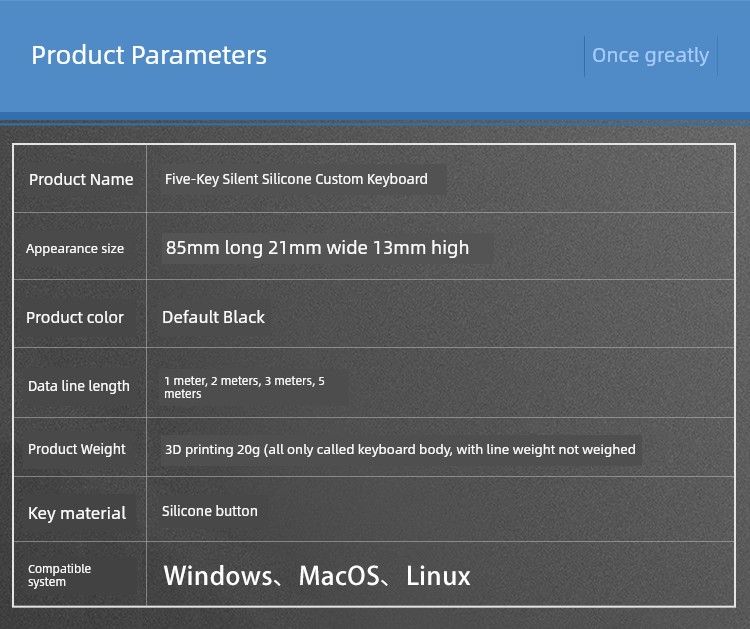
Mute Recording 5 Keys Silent Silicone Mini Black Plastic USB Custom Shortcut Keyboard
£23.29£33.12
Axle body name : Silicone button

Color classification : 1 M USB data cable ugly version


Package Type : Official standard
Whether Wireless : No
Quantity :

Report
Include copyright infringementFree Standard Shipping. See details
Estimated between Tue, Aug 4 and Fri, Aug 7
You can return the product within 30 days of receipt. See details
Shop with confidence

Money Back Guarantee
Get the item you ordered or your money back. Learn more
About this item
Sourced from syct
Seller assumes all responsibility for this listing.Item number: 29256210
Item specifics
Features
Mirror, Single Light, Skin-Like
Axis
Red Axis, Green Axis, Tea Axis
Numeric Keypad
No, Yes
Connection
Wireless, Bluetooth, Multimode
Size
121Mm-130Mm, <100Mm, >130Mm
Item description from the seller
IU is used, it is convenient to use the following steps, regardless of the instructions:
the first step is to plug the received keypad into the USB port of the computer, and then make sure that the number can be typed according to our keyboard (WeChat chat box or word can be tested), and then proceed to the .
Step 2: Set in au and watch the following video
(Videos can only be viewed on mobile phones)
answer buyer's questions:
q: The keyboard interface has been inserted, but the button does not respond. Why can't I type something?
A: Try changing the computer socket. If not, try restarting the computer.
***************************** Look down only when it is used as a custom keyboard...
If you want to use it as a normal custom keyboard, you can set it as any key of the standard win keyboard or as a shortcut key, such as one-click copy..... If the function is the same as the single-row five-key shaft keyboard in our store, you can see it separately
Software and tutorial http://zdd.calibu
rn.work:9999